From Vibe Coding to Production: What It Takes to Turn AI-Generated Websites Into Scalable Web Applications
Transitioning from vibe coding to scalable web applications requires careful planning and sound engineering practices to ensure reliability and security in…
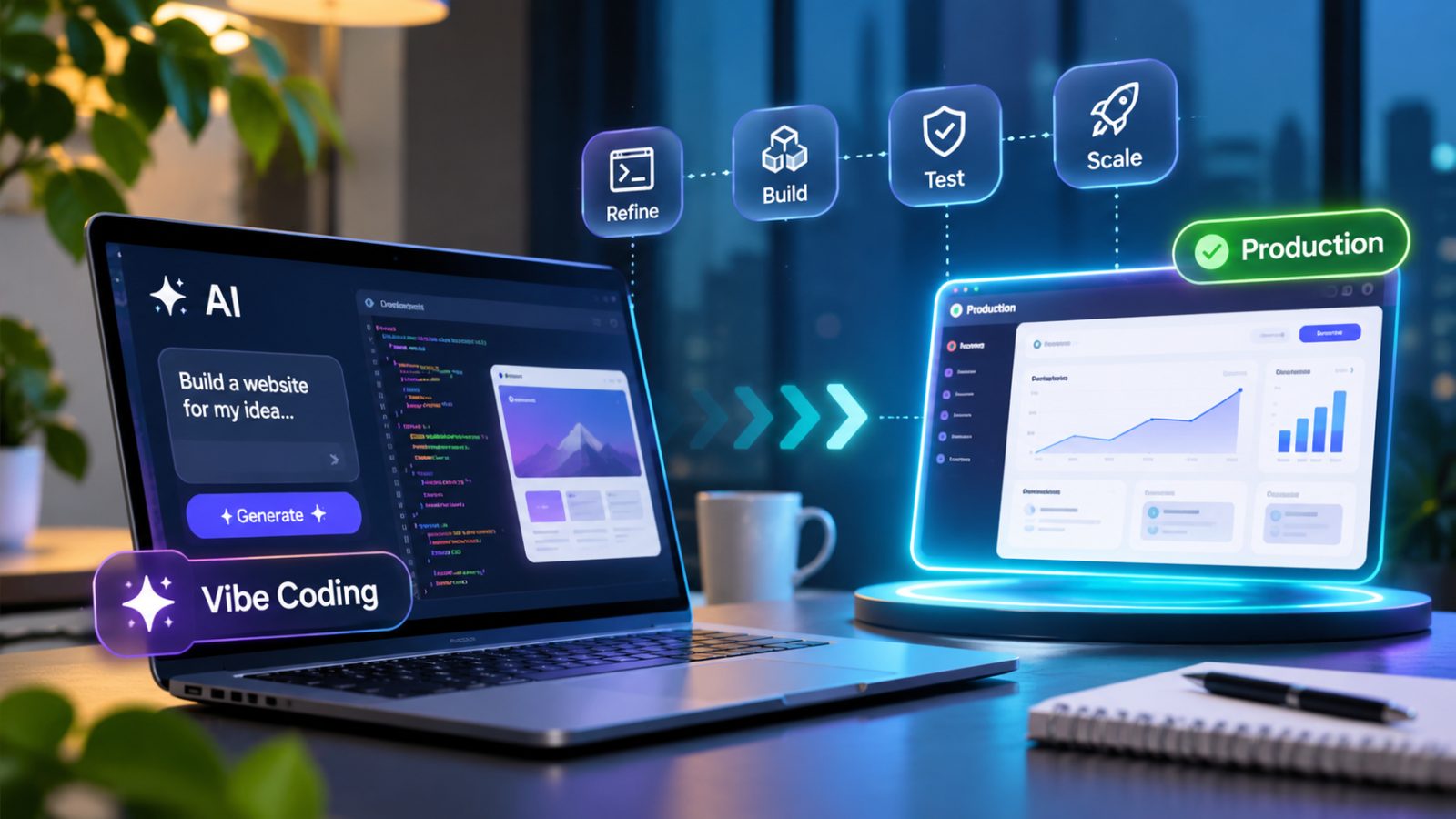
Artificial intelligence has changed how developers approach web development and turn ideas into websites and applications. A natural-language prompt can now generate page layouts, interface components, application logic, or an initial prototype. This approach, widely called vibe coding, helps founders test concepts and gives development teams a faster way to explore solutions.
But a convincing prototype is not dependable business software. Its code may be difficult to maintain, access controls may be incomplete, and databases or integrations may fail under real workloads. These weaknesses matter when an application handles payments, customer information, or critical operations.
The goal is not to reject vibe coding. It is to use AI to accelerate implementation while applying sound engineering practices before real users depend on the result.
What Is Vibe Coding, and Where Does It Help?
Vibe coding is an AI-assisted way of building software in which a person describes a desired result in natural language and an AI tool generates or changes code. A user might ask for a responsive landing page, a customer dashboard, a booking form, or a product filter. The tool can create an initial implementation that the user can run, inspect, and refine through further instructions.
Vibe coding is useful for rapid experimentation. It can help founders demonstrate ideas, designers test interactions, and developers handle repetitive tasks. AI coding tools can assist with frontend components, API endpoints, database models, documentation, test drafts, and debugging.
Tools such as Cursor, Claude Code, and GitHub Copilot support different parts of this workflow. Their capabilities vary, but generated code remains a proposal that needs evaluation. The approach is most useful for exploration and limited prototypes; it becomes risky when teams skip checks for data, permissions, errors, traffic, and maintainability.
Why a Working Prototype Is Not Production-Ready
A prototype usually demonstrates a small number of happy-path interactions. A production application must also handle unexpected input, failed services, different user permissions, concurrent activity, and operational incidents.
Imagine an AI-generated customer portal with a login screen, dashboard, profile, and order history. It may work when tested with one account. Once customers use it, an authorization flaw could expose another user's orders. A database query might slow down as records grow. A payment or email integration might fail without a safe retry process. A password reset flow might reveal whether an account exists.
The distinction is not simply visual polish. It concerns how the application behaves when real data, users, and business processes are involved.
|
Area |
Prototype |
Production application |
|
Architecture |
Basic structure |
Documented, maintainable design |
|
Security |
Limited checks |
Verified authentication and authorization |
|
Data |
Simple storage |
Validated models, access rules, and backups |
|
Testing |
Manual demonstration |
Repeatable automated and manual testing |
|
Performance |
Light usage |
Measured under realistic workloads |
|
Integrations |
Basic connections |
Error handling, retries, and monitoring |
|
Release |
Basic hosting |
Controlled deployment and rollback |
A prototype can be valuable without meeting every production requirement. The mistake is assuming that a successful demo proves the application is ready for customers.
1. Define Business Requirements Before Expanding the Code
A broad prompt such as "build a scalable customer management platform" leaves too many important decisions open. An AI tool cannot reliably infer every business rule, permission, integration, or compliance obligation from a short description. Teams should turn the idea into clear requirements before adding more features.
Start with the business outcome. Is the application meant to manage customer relationships, process orders, coordinate appointments, automate an internal workflow, or deliver a subscription service? Then identify user types and the actions each type is allowed to perform. An administrator, employee, customer, and external partner should not automatically have the same access.
Document essential workflows such as registration, account recovery, data updates, payments, notifications, and integrations. Include exception paths for incomplete requests, declined payments, and unavailable services. Also define expectations for availability, response time, accessibility, privacy, security, and expected usage.
For example, an ecommerce customer portal may begin with order tracking. A later release could require ERP, inventory, payment, and customer-support integrations. Identifying these dependencies early helps teams avoid shortcuts that become expensive to undo.
A concise requirements document gives AI tools consistent context and lets developers review generated changes against clear acceptance criteria.
2. Choose an Architecture That Fits the Product
AI tools can generate individual components quickly, but a production system needs a coherent structure. Its frontend, backend, database, integrations, and infrastructure must work together without creating unnecessary dependencies.
The frontend presents information and handles user interactions. Frameworks such as React, Next.js, or Vue may be appropriate depending on rendering needs, team skills, and the product. The backend manages business rules, authentication, permissions, and API requests. Technologies such as Node.js, Python, PHP, or Laravel may fit different requirements.
The database stores customer records, transactions, products, and application state. Its schema should preserve data integrity and support efficient queries. An integration layer connects external services such as payment gateways, CRM and ERP platforms, email providers, and analytics tools. The infrastructure supports hosting, networking, storage, deployment, backups, and monitoring.
These layers do not have to become separate services. A well-organized monolith may be simpler for an early product; microservices are useful when components genuinely need independent deployment or scaling. Adopting them prematurely can add operational overhead. Keep presentation, business logic, and data access clearly separated so components are easier to test and change.
Businesses moving from a generated prototype to a robust digital product should align the architecture with real workflows, integration needs, and long-term plans.
3. Treat Security as a Release Requirement
AI-generated code does not automatically meet an application's security needs. A feature may work while exposing sensitive information or allowing unauthorized access. Build security checks into development and review them before deployment.
Authentication and authorization
Authentication establishes who a user is; authorization determines what that user can do. Both need server-side enforcement. A customer portal, for example, must verify that the signed-in customer is allowed to view a particular order. Hiding a button in the browser is not sufficient because users can call an API directly.
Use secure sessions, appropriate password storage, account recovery controls, and multi-factor authentication where justified. Test whether users can access records belonging to others.
Input validation and data handling
Validate data on the server, even when the browser also checks forms. Use parameterized queries and safe output handling to reduce common risks such as SQL injection and cross-site scripting. File uploads need checks for file type, size, storage location, and access permissions.
API keys, database credentials, and private tokens should not be placed in frontend code or committed to a public repository. Keep secrets in protected configuration or a suitable secrets manager, and give each service only the permissions it needs.
Dependencies and AI-specific risks
AI tools may suggest packages that are outdated, unnecessary, or incorrectly named. Review each dependency for its source, maintenance status, license, compatibility, and known vulnerabilities. Automated scanners can help, but they do not replace a decision about whether a package is necessary and trustworthy.
AI-enabled features also raise risks such as prompt injection, sensitive-data disclosure, unsafe output handling, and excessive agent permissions. An assistant connected to a customer database should not perform unrestricted operations because a prompt requests them. Enforce permissions in the application layer and require approval for sensitive actions. The OWASP GenAI Security Project provides a reference for these risks.
4. Test the Code and the Complete User Journey
A page loading in a developer's browser is not sufficient evidence that an application is ready. AI-generated code should pass the same verification expected of manually written code. Review is especially important when the team does not fully understand why a tool selected a particular implementation.
Unit tests check individual functions and components. A pricing calculation, permission check, or inventory update should return the right result for valid data and handle invalid inputs safely. AI can help draft tests, but developers must verify that the assertions reflect actual business rules.
Integration tests confirm that connected parts work together. A registration flow may involve the frontend, backend API, authentication provider, database, and email service. Each component can pass its own test while the combined workflow still fails.
End-to-end tests simulate realistic user journeys, such as creating an account, updating a profile, placing an order, or completing a payment. They help reveal issues that are difficult to catch by testing isolated components.
Security testing should include code analysis, dependency checks, configuration review, and risk-based penetration testing. Regression tests are also important: when an AI tool modifies existing code, previously working features must continue to work.
GitHub's guidance on reviewing AI-generated code encourages reviewers to check functionality, project conventions, security, dependencies, and maintainability rather than accepting generated changes without scrutiny.
Combine automated checks with human review: tools catch known patterns, while developers assess business and architectural context.
5. Measure and Improve Performance Under Realistic Conditions
A prototype may feel fast because it contains little data and only one active user. A production application may handle large datasets, concurrent requests, complex queries, and several external services. Performance should be assessed with representative data and expected usage, not by relying on a quick local demonstration.
Review query efficiency, indexes, pagination, connection management, and unnecessary data retrieval. Loading thousands of records at once can waste resources; filtering and pagination are usually better. On the frontend, compress images, reduce unused JavaScript, defer non-critical resources, cache suitable responses, and avoid repeated API calls. A content delivery network can help distribute static assets.
Measure results instead of assuming an optimization worked. For public web pages, Google's Core Web Vitals provide useful user-experience measures. Google's recommended "good" thresholds include Largest Contentful Paint of 2.5 seconds or less, Interaction to Next Paint below 200 milliseconds, and Cumulative Layout Shift below 0.1. These are experience targets, not a guarantee of search rankings.
For applications, also monitor API response times, throughput, error rates, database behavior, and resource use.
6. Plan for Monitoring, Recovery, and Maintenance
Production readiness continues after launch. Without monitoring, a team may learn about a broken workflow only when customers complain. Observability helps developers understand what the system is doing and where failures occur. Teams taking a prototype into a long-term product may benefit from custom software development that aligns architecture, integrations, and maintenance with business requirements.
Logs capture relevant events without exposing secrets or personal data. Metrics track response times, errors, resource use, and availability; distributed tracing helps locate delays across services. Test backup restoration and define how much data loss and downtime the business can tolerate.
Provide clear error messages without exposing internal paths, credentials, or database details. For important systems, define alert thresholds, incident responsibilities, and rollback procedures. Ongoing maintenance should cover dependency reviews, security updates, and integration checks. Maintainability is part of scalability because difficult-to-change code becomes increasingly costly.
7. Review Accessibility, User Experience, and Search Discoverability
A technically functional application can still frustrate users if its forms, navigation, and content are difficult to understand. AI-generated interfaces should be reviewed for responsive behavior, keyboard navigation, visible focus states, descriptive form labels, sufficient color contrast, semantic HTML, and compatibility with assistive technologies.
Test key journeys across screen sizes, browsers, and keyboard navigation. For public websites, use descriptive titles and headings, meaningful image text, crawlable internal links, appropriate canonical URLs, and structured data that accurately reflects visible content. Ensure important content is accessible to search engines.
Google's page experience guidance emphasizes the overall experience users have with a page. No single metric guarantees visibility, and private dashboards or account pages do not need to be engineered as search landing pages. Public product pages, documentation, and marketing content should, however, be accessible and useful to both visitors and search crawlers.
8. Use a Controlled Deployment Process
Moving an application into production should be a planned release, not a last-minute upload. Separate development, staging, and production environments help teams test changes before they affect customers. Staging should resemble production closely enough to expose configuration and integration problems.
A continuous integration and delivery pipeline can automate code-quality checks, unit and integration tests, dependency and security scans, build verification, staging deployment, and approved production release.
Review database migrations and prepare recovery steps for changes that affect existing data. Protect credentials, enforce HTTPS, restrict production access, and confirm monitoring and backups are active. For higher-risk changes, use feature flags or phased releases and keep a rollback plan.
The NIST Secure Software Development Framework is a useful reference for integrating security practices throughout the software development lifecycle rather than treating them as a final approval step.
Example: Turning an AI-Generated SaaS Prototype Into a Business Application
Consider a startup that uses an AI coding tool to create an appointment-booking prototype. Its first version has a homepage, registration form, dashboard, and calendar. That is enough to demonstrate the idea to potential customers.
The startup then plans a paid platform for multiple organizations, each with its own employees, customers, schedules, and subscriptions. Developers must design data separation and permissions, prevent booking conflicts, and define how subscription changes affect access. AI can still accelerate interface work, but billing, authorization, customer data, and booking rules need careful testing. The team tests cross-organization access and concurrent bookings, configures monitoring, and verifies backup restoration.
After staging validation, the team releases the platform in a controlled way and monitors its behavior. The prototype has served its purpose: it helped validate the idea. The production product is the result of the engineering work that followed.
When Should Businesses Bring in Web Development Expertise?
Not every AI-generated website needs a major rebuild. A simple portfolio, landing page, or internal demonstration may be sufficient with limited refinement. The decision changes when an application handles sensitive customer data, financial transactions, business-critical workflows, multiple roles, or complex integrations.
Professional expertise is useful when generated code is hard to maintain, security requirements are significant, integrations are complex, or performance must remain predictable. An experienced team can assess the code, identify risks, and plan what to retain, improve, or replace.
Businesses developing a more complex digital product should evaluate the technology stack, implementation approach, and long-term support requirements. Subscription-based products may also need specialist planning for account management, billing, integrations, and ongoing releases.
The right level of support depends on product complexity, internal skills, budget, and business risk. Avoid over-engineering a small project or under-engineering software people rely on.
Production-Readiness Checklist
Before releasing an AI-generated website or prototype, confirm that the essential questions have clear answers.
|
Area |
Check before launch |
|
Requirements |
Are business rules and user roles documented? |
|
Architecture |
Is the structure understandable and maintainable? |
|
Security |
Are authentication and authorization verified? |
|
Data |
Are access rules, retention, and backups addressed? |
|
Dependencies |
Have packages and licenses been reviewed? |
|
Testing |
Do tests cover critical workflows and edge cases? |
|
Performance |
Has the app been tested under realistic conditions? |
|
Accessibility |
Can people navigate and use it effectively? |
|
Deployment |
Are staging, release, and rollback procedures ready? |
|
Monitoring |
Can the team detect errors and performance problems? |
|
Maintenance |
Is there an owner for updates and ongoing fixes? |
Adapt the checklist to the application's risk; a financial platform needs stronger controls than an informational site.
Frequently Asked Questions
Can AI-generated websites be used in production?
Yes. They can be production-ready after appropriate review and testing of code, architecture, security, integrations, and performance. Effort depends on complexity and risk.
Is vibe coding suitable for scalable web applications?
It can accelerate prototyping, but does not replace requirements, architecture, code review, testing, or deployment controls. Scalable applications need a foundation that can support growth reliably.
What are the main risks of AI-generated code?
Risks include incorrect logic, weak access controls, poor input validation, vulnerable dependencies, and hard-to-maintain code. AI features can add prompt-injection and data-disclosure risks.
Do developers need to review code written by AI?
Yes. Developers must check requirements, architecture fit, edge cases, security, and quality. Automated tests and scanners support, but do not replace, human review.
Should a business rebuild an AI-generated prototype or improve it?
Assess code quality, technical debt, security, architecture, and future needs. Improve a sound foundation; consider rebuilding if fundamental choices prevent safe operation or further development.
Final Thoughts
Vibe coding has changed how quickly businesses can explore ideas and create working prototypes. It has lowered the effort needed to get started, but it has not removed the need for engineering judgment.
Production software still requires clear business requirements, an appropriate architecture, secure implementation, systematic testing, measured performance, reliable operations, and ongoing maintenance. The most effective approach is to use AI where it creates genuine efficiency while applying engineering discipline wherever reliability, security, and long-term value matter.
An AI-generated prototype can be the beginning of a valuable digital product. Turning it into a scalable web application depends on the decisions made at every stage between the first prompt and the production release. For subscription-based products, SaaS development should also account for user management, billing, integrations, and ongoing releases.