Key Steps to Safely Shut Down a Server Room
Most server rooms are not shut down by the people who built them. They are shut down years later by whoever is still around, usually because the lease is ending or the company is moving…
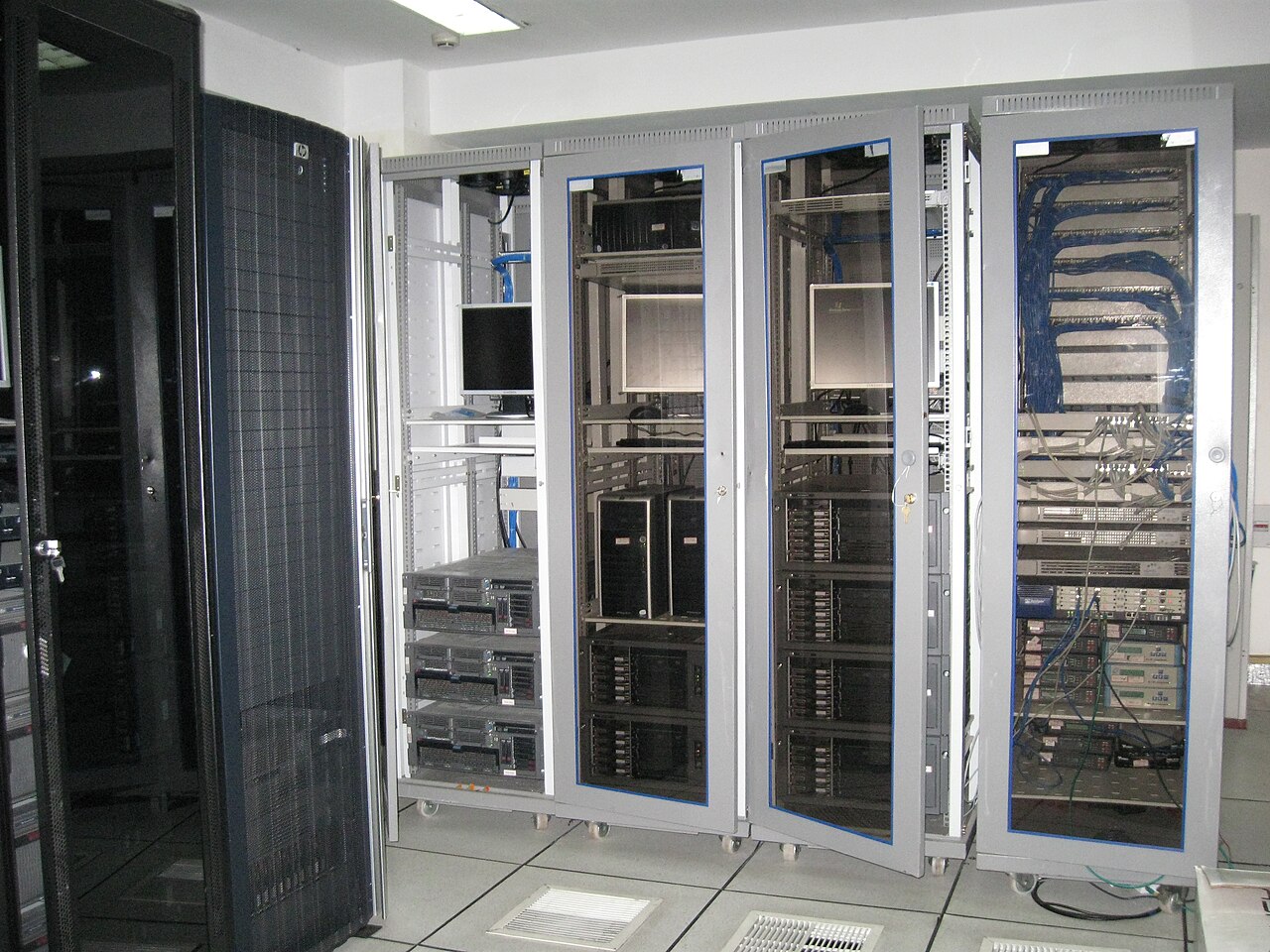
Most server rooms are not shut down by the people who built them. They are shut down years later by whoever is still around, usually because the lease is ending or the company is moving to the cloud, and that person then discovers that the room contains a payroll database nobody mentioned, a UPS (uninterruptible power supply, the battery cabinet that keeps equipment running when the mains power drops) that still holds a charge after the breaker is off, and a stack of old drives that still hold customer records.
If this goes wrong, somebody can get hurt by electrical energy that was supposed to be gone, data can leave the building on a drive that was never wiped, and the landlord can send a bill for the cabling and fire system left behind. So in this guide “safely” means the people, the data and the building, in that order, and the steps follow a timeline because timing is usually where things go wrong.
A quick definition before the steps. Server room decommissioning is the planned process of moving the work off the equipment in an on-premises server room, switching that equipment off in a controlled way, removing it, destroying or sanitizing the data on it, and returning the room to a usable state with records to prove each part was done. It is the small-office version of data center decommissioning, with fewer racks but most of the same risks.
Weeks Before: Planning the Shutdown
In my experience, shutdown day is the easy part if the weeks before it were done properly. For a room with a few racks, four to eight weeks of lead time is a reasonable planning figure, and more if you are migrating several business applications.
1. Take an inventory of everything in the room
Write down every piece of equipment with its make, model, serial number, location and owner. That means the servers, but also the storage arrays, the network switches and firewalls (which hold configuration files and passwords), the UPS, the backup tape drive in the corner, and any loose hard drives sitting in a drawer. If an item can store data, mark it as data-bearing, because it will need a destruction record later.
It is also a good moment to find machines that are doing nothing. A 2015 study cited by ENERGY STAR found that about 30 percent of physical servers in data centers were “comatose” (idle for six months or longer), and the ENERGY STAR guidance on removing unused servers suggests checking CPU use, network traffic and application owners to find them.
2. Map what depends on what
A dependency map is a simple list or diagram showing which systems need which other systems in order to work. For example, the accounting software needs the database server, the database server needs the storage, and everyone needs the domain controller to log in. The map tells you what has to move first and the order in which things get switched off later. Include the building systems as well, because the badge reader and the CCTV recorder are often plugged into the same room.
3. Migrate the work and prove the backups
Move each application to its new home (the cloud, a colocation site, or a new office), and run old and new in parallel for a short period if you can. Before anything is switched off, take a full backup and actually restore a sample of it somewhere else to check that it works. A backup that has never been restored is only a file that you are hoping will work when you need it. Also copy any data you must keep for legal or retention reasons before the hardware leaves.
4. Book the people and tell everyone
Agree a date and a maintenance window, and give staff, the landlord and on-site vendors at least two weeks’ notice. You will usually need the IT lead, a licensed electrician for the electrical isolation, facilities, the fire suppression contractor, the HVAC contractor if there is a dedicated cooling unit, and the company taking the equipment away. A change freeze in the week before stops anyone installing something new in a room you are about to empty.
5. Write the power-down order and the point of no return
Using the dependency map, write the shutdown order, who does each step, and the point after which nothing gets switched back on. If a step needs a password, a key or a breaker label, write down where it is, because 7 a.m. on shutdown day is not the time to look for the UPS manual.
Shutdown Day: Turning It Off in the Right Order
The goal on the day is a known order, nobody exposed to live parts, and a written record of what happened when.
6. Take the final backup and confirm the cutover
Run one last backup after users stop working, and confirm both that it completed and that the new systems are live.
7. Shut down systems in reverse dependency order
Shut down the applications first, then the virtual machines, then the physical servers, then the storage, and leave the core network and the domain controller until last, because other systems may still need them to shut down cleanly. Use a proper operating system shutdown rather than pulling the plug, and record the time each item went down.
8. Revoke the accounts and credentials tied to the old systems
Once the systems are off, disable or delete the accounts that only existed for them. This means service accounts, local admin passwords, VPN access, remote management logins (such as the out-of-band management cards on the servers), API keys, certificates, and firewall rules and DNS records pointing at the old addresses. A former contractor’s login to a server that no longer exists may still work on anything that shared the same password.
9. Isolate the electrical supply safely
This is the step where people get hurt, and it is not a job for whoever holds the office keys. Isolating circuits should be done by a qualified person, which in most offices means a licensed electrician.
- Put the UPS into bypass or shut it down following the maker’s procedure, then open the battery breaker. A UPS can keep its output live after the mains supply is switched off, which surprises people more often than it should.
- Switch off the circuits that feed the room at the panel, and apply lockout/tagout. Lockout/tagout (LOTO) means putting a physical lock and a warning tag on each switch or breaker so that nobody can turn it back on while work is going on. The OSHA page on the control of hazardous energy explains that LOTO practices protect workers from unexpected releases of energy, and that employees who are authorized to lock out equipment have to be trained for it.
- Test before you touch. The OSHA electrical rule, 29 CFR 1910.333, requires that a lock and a tag be placed on each disconnecting means, that stored electric energy which might endanger people be released, and that a qualified person use test equipment to confirm the parts are de-energized.
10. Label and disconnect
Label each cable and device before it is unplugged, even if it is going in the dumpster, because somebody will ask later where a circuit went. Stage the unracked equipment in one locked area until it is collected.
After the Lights Go Off: Data, Disposal and the Building
Once everything is off, the risk moves from electricity to data and paperwork, and this phase produces most of the evidence that matters if anyone asks questions a year later.
11. Remove data-bearing hardware under chain of custody and destroy the data
Chain of custody is a written record showing who had each device, where it was, and when it changed hands, from the rack until the data is destroyed. If there is a gap in that record, you cannot prove a drive was destroyed rather than lost, which is a much more awkward conversation with an auditor.
The practical way to do this is to agree the method for each type of media before the collection, not on the day. Hard drives can be wiped or shredded, SSDs and flash media need to be crushed or shredded so that the memory chips themselves are destroyed, backup tapes can often be degaussed (erased with a strong magnetic field), and servers and RAID storage usually have their drives removed first and handled separately. Each device should be checked against your inventory by serial number when it is collected, moved in locked transport, and listed on a certificate of destruction afterwards. Small companies most often get this part of data center decommissioning wrong, usually because the drives leave in a van with no list attached.
The better data center decommissioning services plan this before anyone touches a cable. Big Data Supply, an R2v3 and RIOS certified IT asset disposition company that handles everything from cage clean-outs to full facility shutdowns, starts its data center decommissioning projects from your equipment list and assigns each asset to resale, redeployment, recycling or certified destruction before the pickup is booked. It also asks that business-critical data is backed up and that accounts tied to the retired systems are revoked before anything leaves the rack. Each project ships with an itemized asset manifest that includes serial numbers, every data-bearing device gets a destruction certificate and chain-of-custody documentation, and redacted sample documentation can be requested before any equipment is committed, which is worth asking any vendor for before you sign.
Whoever does the work, the certificate should list each device by serial number, the method used (wipe, degaussing or shredding), the date, and the chain of custody from collection to destruction. If the certificate only says “assorted drives”, send it back.
12. Recycle the rest, starting with the batteries
UPS batteries are usually sealed lead-acid or lithium-ion, and neither belongs in general waste. In the US, used batteries generally fall under hazardous or universal waste rules, and many states and cities have their own electronic waste rules as well, so ask your disposal vendor which rules they follow and get a recycling record for the batteries. The remaining equipment should go to a certified electronics recycler, with a record of what was received.
13. Restore the room
Read the lease first, because it usually says what condition the room has to be returned in.
- Cabling: remove abandoned network and power cables, including those under a raised floor or above the ceiling. Old cables add to the fire load, and the building owner will usually want them gone.
- Raised floor: replace any missing or cut floor tiles.
- Cooling: have the HVAC contractor shut down, drain or remove any dedicated cooling unit. Refrigerant should only be recovered by a certified technician.
- Fire suppression: if the room has a clean-agent or other special suppression system, have your fire contractor disarm it, reconfigure it or remove it, and tell the monitoring company and the building’s fire alarm contractor before any detectors are disconnected. An empty room with a live suppression system and nobody watching it is a strange thing to leave behind.
14. Close out the paperwork
Collect the evidence in one place, update the asset register, cancel support contracts and licenses for the retired equipment, and remove the old systems from monitoring and backup tools so they stop sending alerts.
| Step | Who owns it | What proof it produces |
|---|---|---|
| Inventory and dependency map | IT lead | Signed asset list with serial numbers |
| Backup and restore test | IT lead | Restore test record with date |
| Account and credential revocation | IT lead or security | List of disabled accounts and keys |
| Electrical isolation and LOTO | Qualified electrician | Isolation and lockout record |
| Data-bearing hardware removal | Disposal vendor and IT lead | Chain-of-custody record, certificates of destruction |
| Battery and e-waste recycling | Disposal vendor | Recycling records |
| Room restoration | Facilities | Contractor sign-offs, landlord handover |
If every row has a document behind it, the shutdown was done properly. If a row is empty, that is the one somebody will ask about, and it is easier to fix now while people still remember what they did.