How Small Fashion Brands Are Creating Professional Product Photos Without a Photoshoot
For a small fashion brand, product photos can make or break a sale. Shoppers cannot touch the fabric, check the fit in a mirror, or see how a color looks in natural light. They rely…
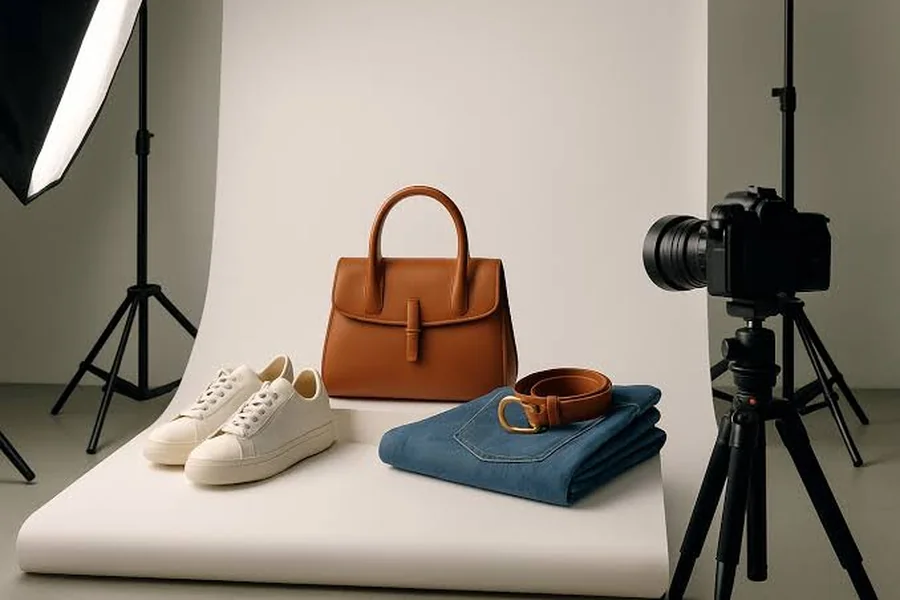
For a small fashion brand, product photos can make or break a sale. Shoppers cannot touch the fabric, check the fit in a mirror, or see how a color looks in natural light. They rely almost entirely on images. Yet a professional photoshoot with a photographer, models, a stylist, and a studio can cost more than an entire small production run.
That is why a growing number of independent labels, boutique owners, and online resellers are turning to AI-assisted product photography. Instead of booking a full shoot for every new collection, they photograph the product simply and use AI tools to create on-model images, lifestyle scenes, and consistent catalog visuals.
This guide explains how that process works, where it delivers real value, and where traditional photography still matters. You will also learn how to keep your images accurate and honest, because a beautiful photo that misrepresents a product will cost you more in returns than it earns in sales.
Why Product Photos Matter So Much in Fashion
Clothing is one of the hardest categories to sell online. Shoppers want to know how a garment drapes, how it fits on a real body, how the fabric catches light, and whether the color matches their expectations. Strong images answer those questions before a shopper has to ask.
Good photos also build trust. A small brand competing with large retailers needs to look credible and professional. Clean, consistent visuals across a product catalog signal that the business is established and cares about quality.
Finally, product photos power almost every marketing channel. The same images appear on product pages, marketplace listings, social media posts, email campaigns, and paid ads. One weak set of images can weaken your entire marketing effort.
The Traditional Photoshoot Problem for Small Brands
A professional fashion photoshoot involves many moving parts. You need a photographer, models, hair and makeup, a stylist, a location or studio, lighting equipment, and editing time afterward. Even a modest shoot can quickly become expensive.
Timing is another challenge. Small brands often release products in small batches or test new designs quickly. Waiting weeks to schedule a shoot for each drop slows down launches and makes it harder to respond to trends.
Then there is variety. Shoppers increasingly want to see products on different body types, in different settings, and in every available color. Producing that range through traditional photography multiplies costs that many small businesses simply cannot afford.
What AI Fashion Photography Can Do
AI-assisted fashion photography covers several types of images. Understanding the options helps you choose the right tool for each part of your catalog.
On-model images show a garment worn by a virtual model, based on a photo of the real product. Background replacement places a product into a clean studio setting or a styled environment. Lifestyle scenes show clothing in context, such as a sunlit café or a city street. Colorway variations help you present multiple color options consistently.
Modern AI fashion tools combine several of these capabilities. With ImagineArt’s AI Fashion Studio, small brands can turn simple product photos into on-model and styled images, which makes it practical to show more of a collection without booking a full shoot. The key is starting with an accurate image of the real product, which we will cover next.
Start With Accurate Source Photos
AI can enhance and extend your product photography, but it cannot replace an accurate starting point. The quality of your source images determines the quality of your final results.
You do not need expensive equipment. A recent smartphone, natural light from a large window, and a plain background are enough for most products. Shoot during the day, avoid direct sunlight that creates harsh shadows, and use a white foam board to bounce light into darker areas.
Capture the garment in several ways. A flat lay shows the full shape and design. A mannequin or hanger shot shows structure and drape. Close-up detail shots capture texture, stitching, buttons, zippers, prints, and labels. These details matter because shoppers often zoom in before buying.
Pay special attention to color. Include a neutral gray or white reference in some test shots, and compare your photos with the real garment on a calibrated screen if possible. Color mismatches are one of the most common reasons for fashion returns.
Step 1: Plan Your Shot List
Before generating anything, decide which images each product needs. A strong product page usually includes a main image, an on-model front view, a back or side view, detail close-ups, and at least one lifestyle image.
Write a short brief for each product. Include the garment type, target customer, brand mood, preferred settings, and any styling notes. For example: “Relaxed linen shirt for women aged 25 to 40, minimalist coastal brand style, neutral tones, natural daylight, styled with light denim.”
Planning keeps your catalog consistent. When every product follows the same visual approach, your store looks cohesive and professional.
Step 2: Create On-Model Images
On-model photos help shoppers imagine how a garment will look when worn. They are also among the most expensive images to produce traditionally, which makes them a natural starting point for AI.
Upload your clean product photo and choose a model, pose, and setting that match your brand. Many brands find that showing products on a range of body types, skin tones, and ages helps more shoppers see themselves in the clothing.
Request a back view and a side view. Shoppers often want to see how a garment looks from every angle, and these views can reduce questions about fit, length, and closures. Keep the same virtual model across a product’s images so the set feels cohesive.
Generate several variations and review them closely. The garment should keep its real shape, length, neckline, pattern placement, and details. If a sleeve looks longer than it is or a print shifts position, regenerate or adjust the image. Accuracy matters more than perfection.
Step 3: Build Lifestyle Scenes and Backgrounds
Lifestyle images add emotion and context. They show shoppers not just what a product looks like, but how it fits into their lives.
This is where Text to Image AI becomes especially useful. You can describe a scene in plain language and generate backgrounds, settings, and campaign concepts that match your brand. With ImagineArt’s Text to Image AI, you might write: “A bright, minimalist coastal café terrace in the morning, soft natural light, white walls, wooden chairs, calm Mediterranean mood, editorial fashion photography style.”
Use Text to Image AI to create environments, mood boards, and campaign visuals rather than to invent the product itself. Your real garment should always come from an accurate photo. That approach gives you creative freedom in the setting while keeping the product truthful.
Text to Image AI is also useful for planning. Before launching a new collection, you can generate mood boards that explore different color palettes, locations, and styling directions. These visuals help you align your team, brief collaborators, and choose a consistent look for the season.
Step 4: Edit for Consistency
Consistency makes a catalog feel professional. Once you have your images, review them as a complete set rather than one at a time.
Match lighting and color temperature across products. Use the same crop, framing, and model positioning for similar items. Keep backgrounds consistent within each category, such as plain white for main images and styled settings for lifestyle shots.
Choose aspect ratios that suit your platforms. Square images work well on many product pages, vertical images often perform better on social media, and wide images suit website banners and email headers. Export high-resolution files so shoppers can zoom in on details.
Step 5: Check Accuracy Before You Publish
This step protects your customers and your business. Before any image goes live, compare it directly with the real product.
Check the color under natural light. Confirm that the fabric texture looks realistic. Make sure the length, fit, neckline, pockets, buttons, and hardware match the actual garment. Look for AI artifacts, such as distorted hands, blurred text on labels, or patterns that change across seams.
Include at least one unedited or lightly edited photo of the real product on every listing, especially a close-up of the fabric. That photo gives shoppers a trustworthy reference point and helps set accurate expectations.
Marketplace and Platform Requirements
Every sales channel has its own image rules, so check them before uploading.
Amazon, for example, requires main product images to have a pure white background, and the product should fill at least 85 percent of the frame. Additional images can show lifestyle settings and models. Shopify allows more creative flexibility, and Shopify recommends 2048 by 2048 pixels for square product images. Etsy encourages multiple photos that show scale, detail, and the item in use.
Policies change over time, and some platforms have specific rules about AI-generated or altered images. Review the current guidelines for each marketplace you sell on, and keep a simple record of which images were created or edited with AI.
Honesty, Disclosure, and Representation
AI product photography works best when it builds trust rather than undermining it. Shoppers expect product images to reflect what they will receive.
Never use AI to make a product look higher quality, a different color, or a better fit than it really is. Doing so may increase short-term sales, but it leads to returns, negative reviews, and lost customer trust. In some cases, misleading product images can also create legal risk.
Consider disclosing AI-generated model images in your product descriptions or on a store policy page. A short note, such as “Model images are digitally created to show fit and styling,” helps set expectations and shows respect for your customers.
Be thoughtful about representation. Virtual models make it easier to show a diverse range of people, which can help more shoppers relate to your brand. Avoid creating images that resemble real people, including celebrities or influencers, without permission.
Where Traditional Photography Still Wins
AI tools are powerful, but they do not replace every photoshoot. Traditional photography remains the better choice for flagship campaigns, brand storytelling, collaborations with real creators, and products with complex textures or structures that AI struggles to reproduce accurately.
Many small brands find that a hybrid approach works best. They invest in one or two professional shoots each year for hero campaigns, then use AI to produce catalog images, colorway variations, and social content between those shoots. That balance keeps costs manageable without sacrificing brand quality.
Common Mistakes to Avoid
- Starting with poor source photos. Blurry or poorly lit images produce weak results.
- Changing the product. AI should showcase the real garment, not improve it.
- Ignoring color accuracy. Mismatched colors are a major cause of returns.
- Mixing visual styles. Inconsistent images make a catalog look unprofessional.
- Skipping platform guidelines. Images that break marketplace rules may be rejected.
- Removing all real photos. Shoppers still need at least one authentic reference image.
Final Thoughts
Professional product photos are no longer limited to brands with large budgets. With accurate source photos, a clear shot list, and the right tools, small fashion brands can create on-model images, lifestyle scenes, and consistent catalogs without organizing a full photoshoot for every launch.
Use AI fashion tools to show your garments on models and in styled settings, and use Text to Image AI to create backgrounds, campaign concepts, and mood boards. Most importantly, keep accuracy and honesty at the center of your process. When your images look professional and reflect the real product, they help shoppers buy with confidence and come back again.
Frequently Asked Questions
Can AI completely replace fashion photoshoots?
Not completely. AI is excellent for catalog images, variations, and lifestyle content, but professional shoots still add value for major campaigns and brand storytelling.
Do I need professional equipment for source photos?
No. A recent smartphone, natural light, and a plain background are enough for most small brands.
Should I tell customers that my images are AI-generated?
Disclosure is a good practice. A short note helps set accurate expectations and builds trust.