Why a Shirt Embroidery Machine, T Shirt Press, and Sublimation Paper Work Well Together
A custom apparel business serves customers with different ideas. One may want a small embroidered logo on a work shirt, while another prefers a colorful image across a T-shirt. Having more than one decoration method…
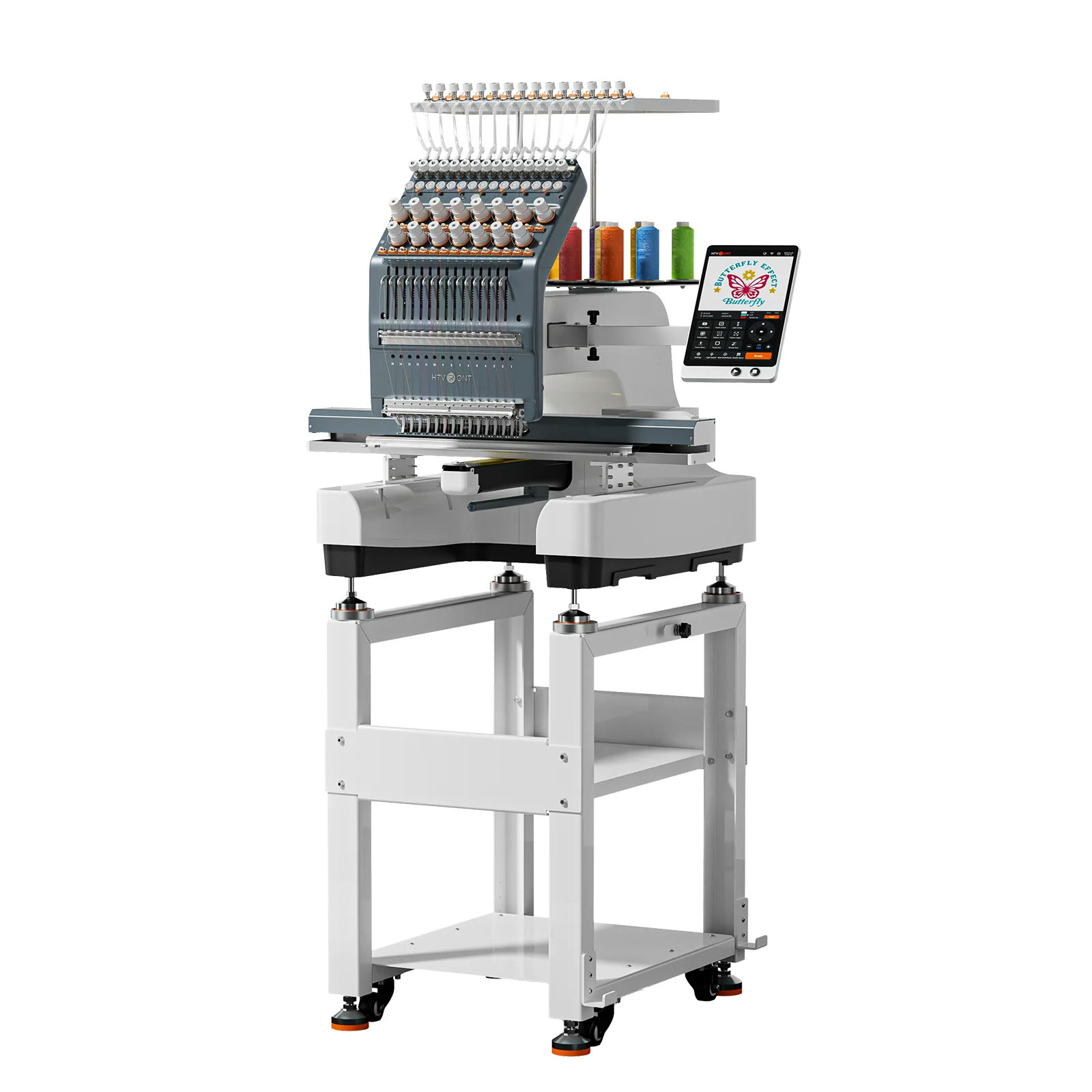
A custom apparel business serves customers with different ideas. One may want a small embroidered logo on a work shirt, while another prefers a colorful image across a T-shirt. Having more than one decoration method makes it easier to handle varied requests. A Shirt Embroidery Machine, T Shirt Press, and Sublimation Paper each play a separate role, giving a small studio more ways to create personalized clothing.
The key is understanding what each does best. Embroidery adds stitched texture, sublimation transfers printed designs onto compatible surfaces, and a heat press applies the transfer. These are complementary methods, not interchangeable steps.
1. Give Shirts Texture With a Shirt Embroidery Machine
Embroidery suits names, monograms, team logos, and designs that benefit from a raised, thread-based finish. A Shirt Embroidery Machine helps a business produce repeatable designs for uniforms, club clothing, staff apparel, and personalized gifts.
For a growing studio, a multi-needle model can make color changes more manageable on designs using several threads. The HTVRONT E15 15-Needle Embroidery Machine is designed for garment and cap projects. Its 15-needle setup, generous embroidery area, and touchscreen controls can support businesses moving from occasional craft orders toward regular production. It also works with HTVRONT’s IdeaStudio software for preparing and previewing designs.
Before stitching, check the fabric, stabilizer, hoop size, and design density. A sample shirt helps confirm placement and thread appearance before producing the full order.
2. Use a T Shirt Press to Apply Transfers
A T Shirt Press is useful when a design calls for a smooth printed finish rather than stitching. It applies heat and pressure to transfer materials onto compatible garments. This can suit promotional graphics, event shirts, names, and detailed artwork.
The press does not create the design; it completes the transfer process. Prepare the artwork, print or cut the appropriate transfer material, position it on the garment, and follow the supplier’s instructions. Temperature, pressure, and timing vary by material, so one setting should not be assumed to work for every project.
3. Understand Where Sublimation Paper Fits
Sublimation Paper carries specially prepared ink during the transfer process. With suitable sublimation ink and a compatible heat press, the printed design can move onto an appropriate surface. The method is popular for colorful graphics because the result becomes part of the compatible material rather than sitting as a separate vinyl layer.
Sublimation is not suitable for every shirt. It generally works best on light-colored polyester garments or items with a suitable polymer coating. Cotton shirts usually require another decoration method or a transfer product designed for that fabric. Checking fabric content before accepting an order helps avoid disappointing results.
4. Choose the Method That Matches the Design
These tools work well together because they serve different design needs. A company polo may suit an embroidered chest logo. A school event shirt with a colorful illustration may be better for sublimation, provided the garment is compatible. A simple name or number may call for another heat-transfer material.
Show customers samples of embroidered lettering and printed graphics. Explain the differences in feel and appearance, then recommend the method that fits their garment and budget. This sets realistic expectations before production begins.
5. Plan a Reliable Small-Business Workflow
A clear process is as important as the equipment. Confirm the shirt size, color, fabric, quantity, artwork, and deadline. Choose the decoration method, prepare a sample, and get approval before organizing the remaining garments.
For embroidery, check hooping and stabilizer before stitching. For sublimation, confirm fabric suitability and follow the transfer supplier’s instructions. Inspect finished shirts for placement, color, and quality before packing. Keeping notes about successful settings and repeat designs can make future orders easier to manage.
6. Select Equipment for Your Business Stage
A home creator taking occasional orders may not need the same setup as a studio fulfilling regular uniform or team orders. Consider the garments customers request, available workspace, expected order volume, and supply costs. Invest in equipment that addresses a real production need rather than buying every tool at once.
For embroidery-focused businesses, the E15’s multi-needle arrangement, garment-sized working area, and IdeaStudio support may be worth exploring as orders grow. Its screen-based controls and design-preview options can help users prepare projects. Review the current product details and included accessories before deciding whether it fits your workflow.
7. Build a Product Range Customers Understand
Create a small sample collection: a shirt with an embroidered logo, a compatible sublimation design, and an example using another suitable transfer method. Photograph each item clearly and explain which fabrics and design styles work with it.
Local clubs, schools, small businesses, and event organizers may need different kinds of apparel. Rather than promising every design can go on every shirt, guide customers toward materials and decoration methods that suit the result they want. Clear advice and consistent quality can build trust and encourage repeat orders.
Final Thought
A Shirt Embroidery Machine, T Shirt Press, and Sublimation Paper work well together because each expands the ways a business can personalize apparel. Embroidery brings texture and detail, while sublimation offers colorful results on compatible garments, with a press completing the transfer. Choosing the right method for each order and testing before producing in quantity can help a small studio serve varied requests and grow at a manageable pace.